
How To Get Your Marketing Materials
This guide helps you easily locate and download the latest marketing resources provided by Dakis. Follow these simple steps to access your graduation kit files for your 2026 promotional campaigns.
- STEP 1
- STEP 2
- STEP 3
- STEP 4
- STEP 5
Log in to your mydakis account

Click on the marketing drop down menu in the left hand menu of the mydakis home screen.

Click on the marketing kits option in the now open marketing drop down menu.

Find the Graduation option from the list of marketing kits that appears and click the "view" button. 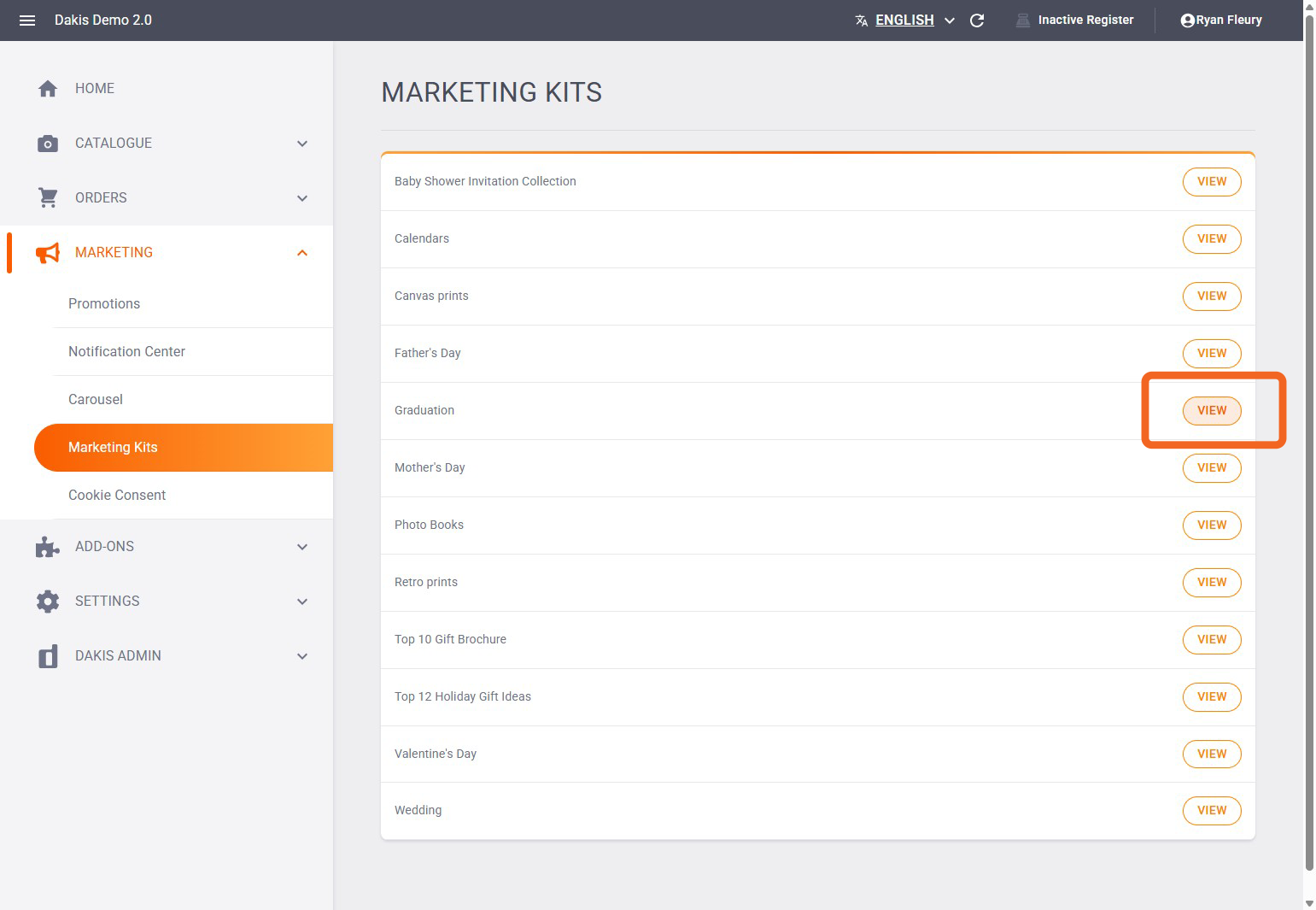
On the screen that opens up, click the link to download your marketing files. That's it you're done!
